Advanced configuration
Even if the Document Status app is very straightforward to setup and use, there are a couple of things to keep in mind when designing a work flow that depends on the Document Status.
Filtering
On each table that is enabled with Doc.Status, there is only one field that is a physical and filterable field and that is the Doc Status field. The other two fields are both calculated at runtime and cannot be filtered on.
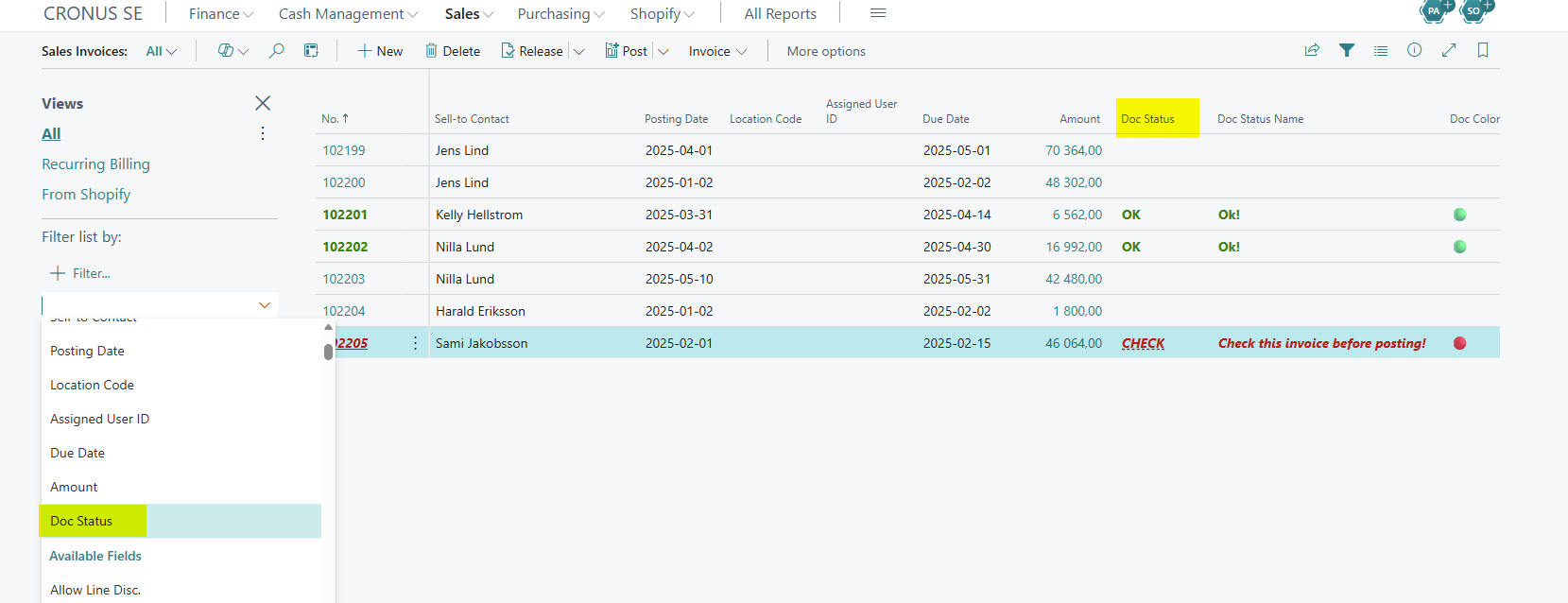 Filtering on Doc Status
Archived data
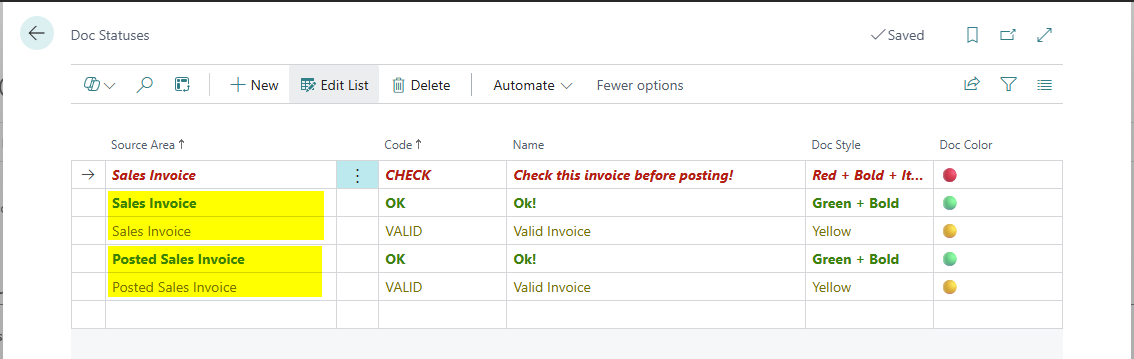
By default in Business Central, the code that is set on e.g. Sales Invoice is automatically copied over to the Posted Sales Invoice archive record. So if you enable both Sales Order/Invoice and Posted Sales Invoice, you must make sure that you have setup the same doc statuses for both document types by creating the same status on both areas. The status will still be copied over but you will have a blank and undefined Doc.Status on the archived document.
 Example of a subscription before the Event Log is executed
Note
The archived data pages by default does not enable you to edit any data. If you want to be able to modify the Doc.Status on e.g. the Posted Sales Invoice, you must create your own method of modifying the Doc.Status code.
Event triggers
If you want to extend your own logic around the Document Status there are two events exposed in the IBFD Doc Status codeunit. To use them just include the Doc Status extension in the dependencies section of your app.json. Then create subscriptions and add your own logic. See examples below.
Tip
The parameter TableNo below is the same as Database and gives the originating table no that triggered the event.
OnBeforeCreateEventLogEntry
This event is triggered just before the Event Log is executed. This can be used e.g. to override the Event Log and control what is written.
 Example of a subscription before the Event Log is executed
OnAfterDocStatusCodeValidate
This event is triggered last of all after the Event Log is complete. This enables you to append your own custom logic whenever a Doc.Status is changed.
 Example of a subscription after the Event Log is executed