Introduction
Welcome to Document Status
A versatile tool to visualize customizable document statuses in Business Central.
You can configure and set status on most documents in Business Central including items, customers, sales orders, warehouse, production, shipments and more...
List Page
It will visualize by default on the list page where you can personalize the columns to Your needs.
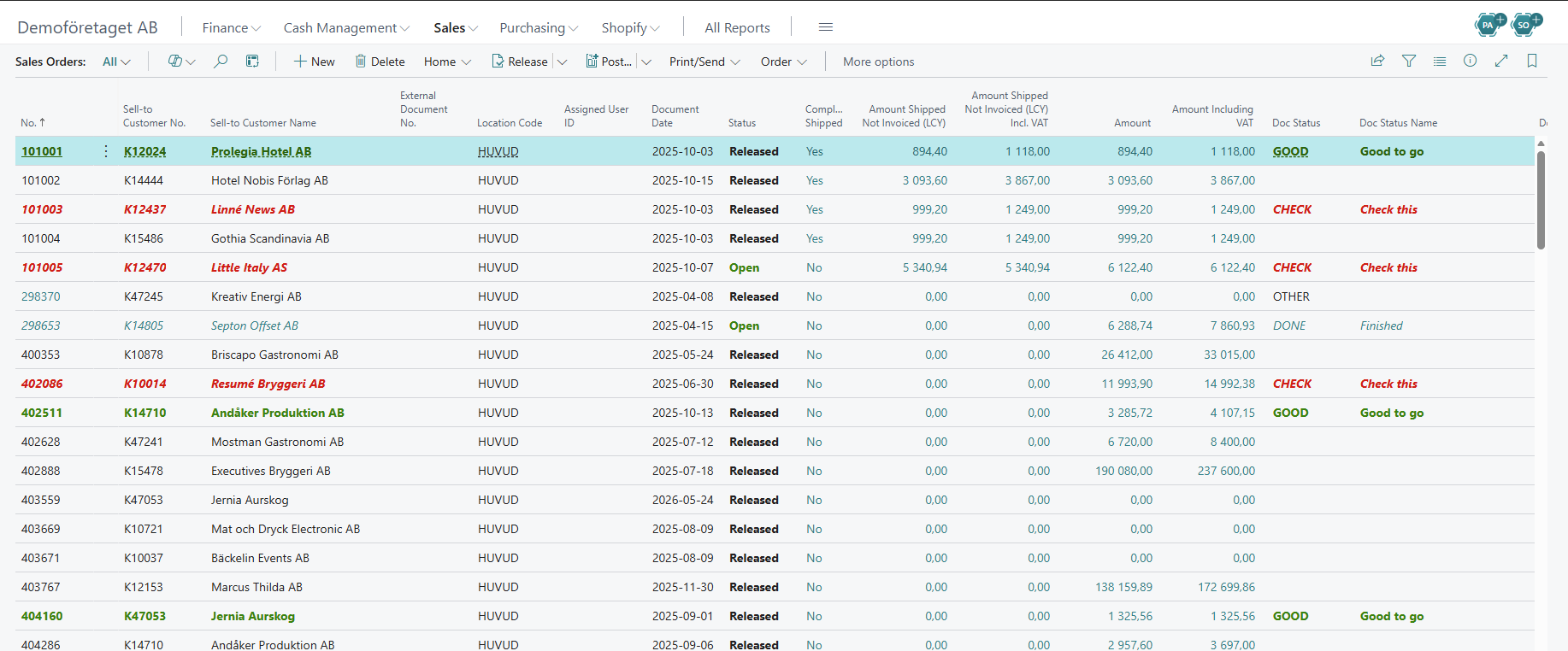 Example of a list page in Business Central
Card Page
On a card page you control the status code where it is also visualized. The same goes here where you can personalize the fields to suit your needs.
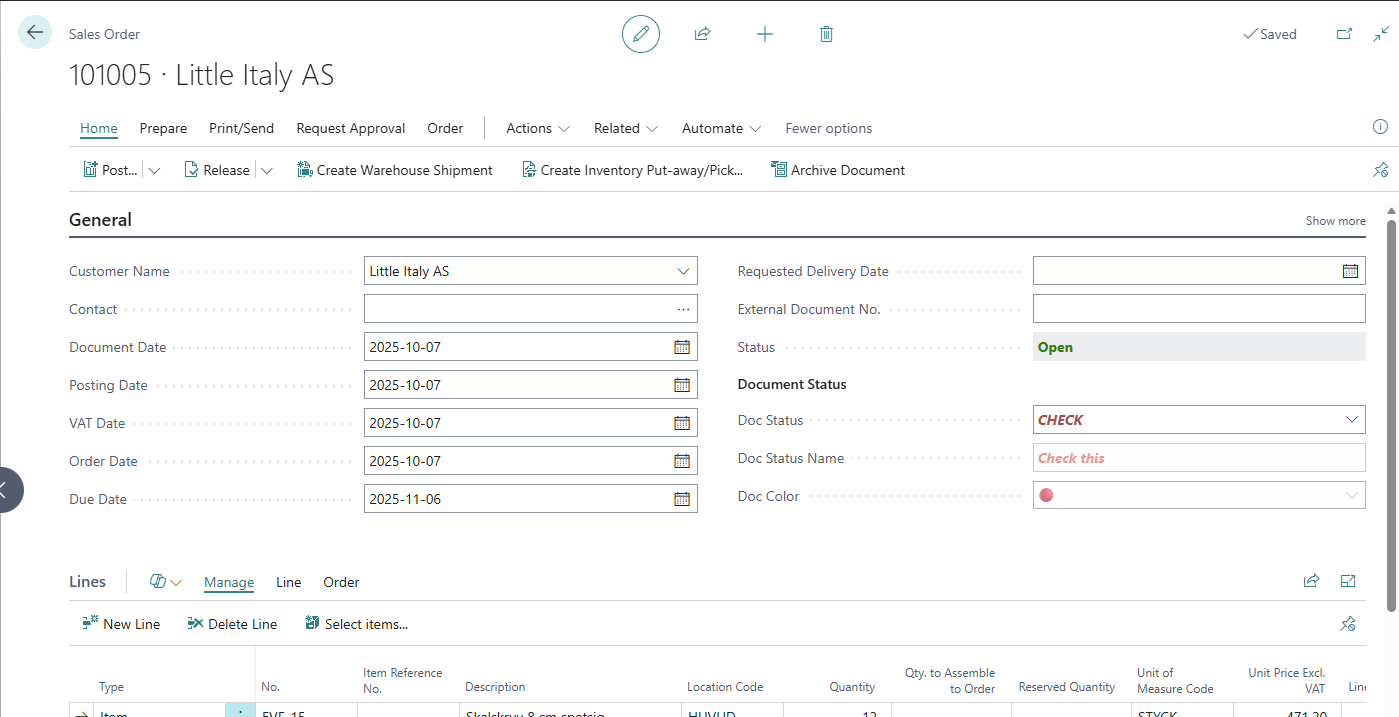 Example of a card page in Business Central
Configure statuses
Configure individual statuses that control color, style and also a separate visual representation on the document.
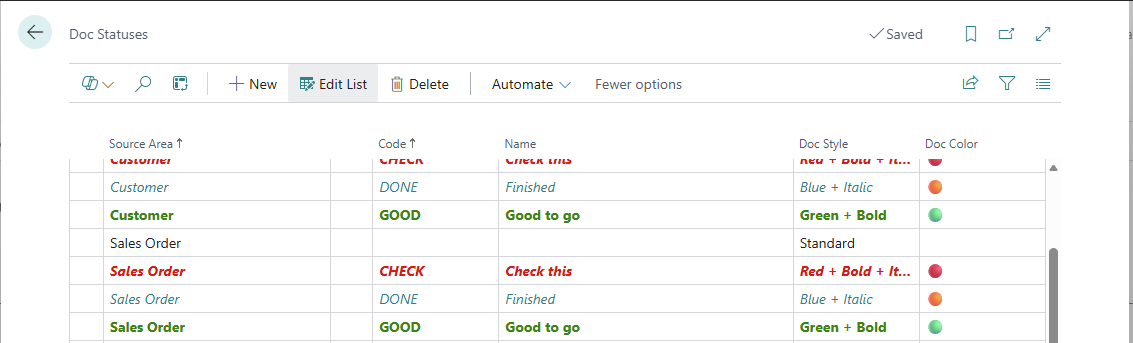 Example of Doc Statuses
Event Log
Track each documents change history with the built-in Event Log.
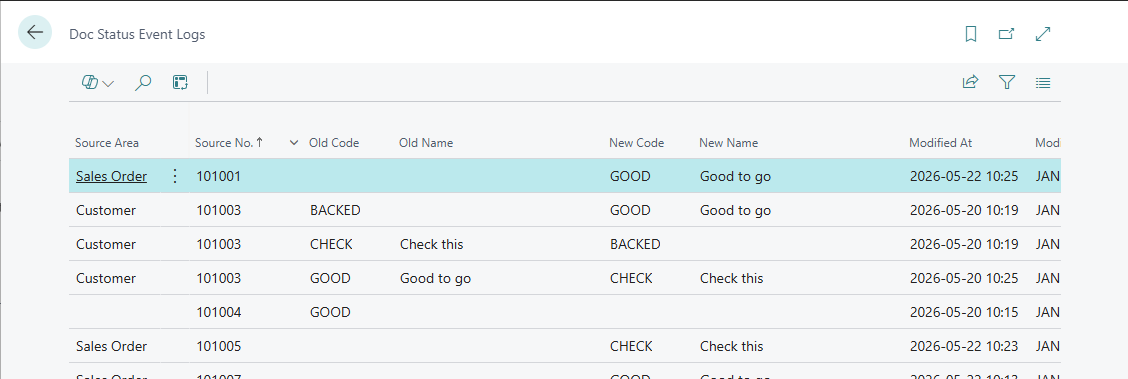 Example of Doc Status Event Log
Advanced Configuration
Use the trigger to create your own customized actions when a status is changed.
Read more about this and more in the Advanced section.